WAIT - Your order is not yet complete...
Walk Every Customer Who Buys Quiz & Tell From You Through The Guide, Step By Step, And Become The Marketer They Trust, Learn From And Keep Opening Emails From
Plenty of guides get downloaded and never used. These ready-made emails help your customers use Quiz & Tell by doing exactly what it teaches: one question, then help that fits. And because they're done for you, you don't have to write a word of them.

From The Desk of Garry Sayer
You've got Quiz & Tell, and the rights to sell it as your own. Thank you.
The last page was about selling it. This page is about what happens after someone buys it from you.
The guide lands in their inbox. They open it and see 14 chapters, a Quiz Plan to fill in, quiz software to set up and real people to test with. They decide to start properly this weekend.
The weekend comes and goes.
Months later, the guide is still sitting in their downloads folder, and your emails have stopped getting opened.
The guide isn't the problem. Every step is in there. The problem is that once it lands, your customer is left to figure out where to start and how to keep going on their own.
Different Customers Get Stuck In Different Places
Your customers may buy the same guide, but they don't start from the same place.
Some haven't started with email marketing yet, or have only just begun. They may not have a list at all, or only a handful of people on it, and words like tag and sequence are new to them.
Some already have an email list and a free lead magnet they offer in exchange for an email address. But everyone on that list gets the same emails, whatever brought them there. A quiz would tell them what each new subscriber needs, but they don't want to start again from scratch.
And some are already active with email marketing, it's going well for them, and they use tags to send different emails to different people. They're tempted to skip the planning and go straight to the software.
Send all three the same follow-up emails and the help has to be broad enough to fit everybody, which means it fits nobody very well.
So this pack does it differently.
They Tell You Where They're Starting From
The welcome email delivers the guide, then asks one question:
Which answer best describes your email marketing setup?
They click the sentence that sounds most like them, and from that point every email is written for where they're starting.
No form to fill in. No quiz to take before the quiz.
One question. One click. Three routes.
So I Built The Follow-Up For You: The Quiz & Tell DFY Email Onboarding Pack
You get 46 emails: a welcome email, a short reminder for anyone who doesn't answer it, and three complete routes, each written for a different starting point.
Think of it as hand-holding, done for you. Each email tells your customer exactly which step comes next in the guide, so they're not left wondering what to do.
Each route email covers one step of the guide, then explains one to three sticking points the guide doesn't fully cover, for someone starting where they are, with a short made-up example and something to do.
The emails sell nothing. They're only there to help your customers use what they bought, which gives them a better reason to trust whatever you offer next.
The welcome email and every subject line in all three routes are below, so you can see what your customers will get before you decide.
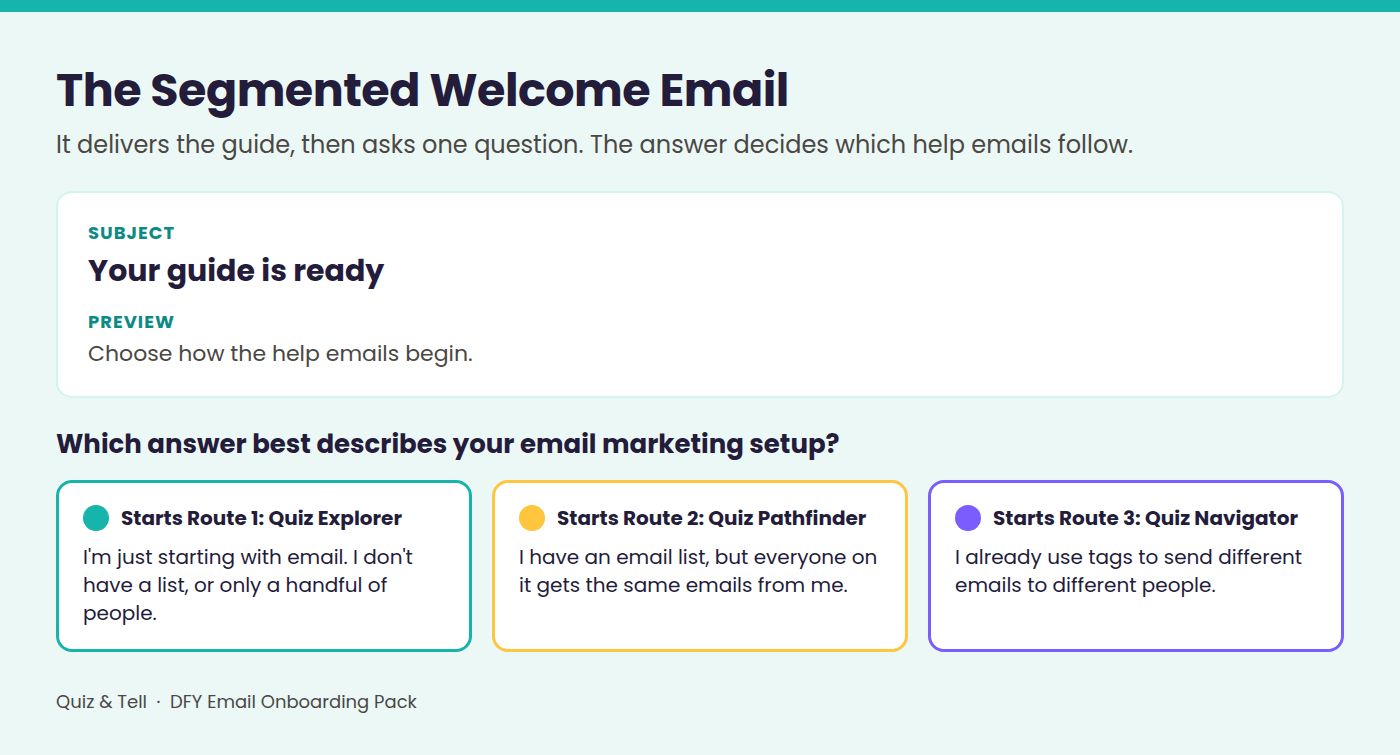
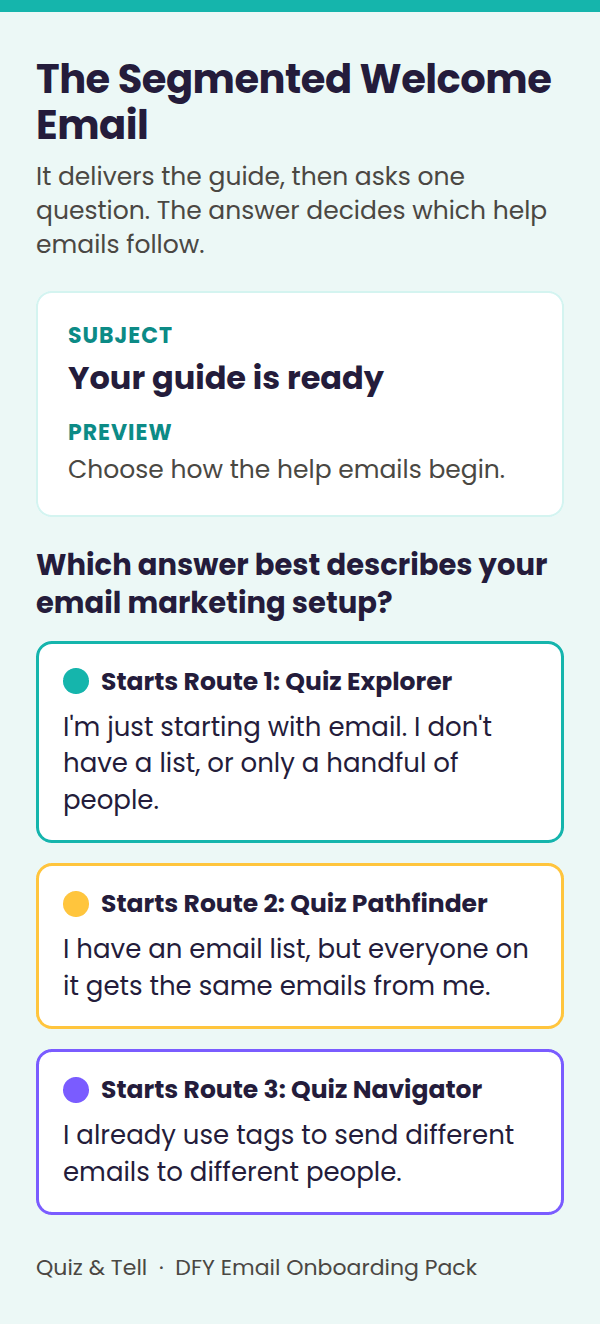
The Segmented Welcome Email
It delivers the main guide and asks the one question. Segmented just means different people get different emails. Nobody has to give themselves a label. They pick the sentence that sounds like them.
There's also a short reminder, sent once, 48 hours later, to anyone who hasn't answered.
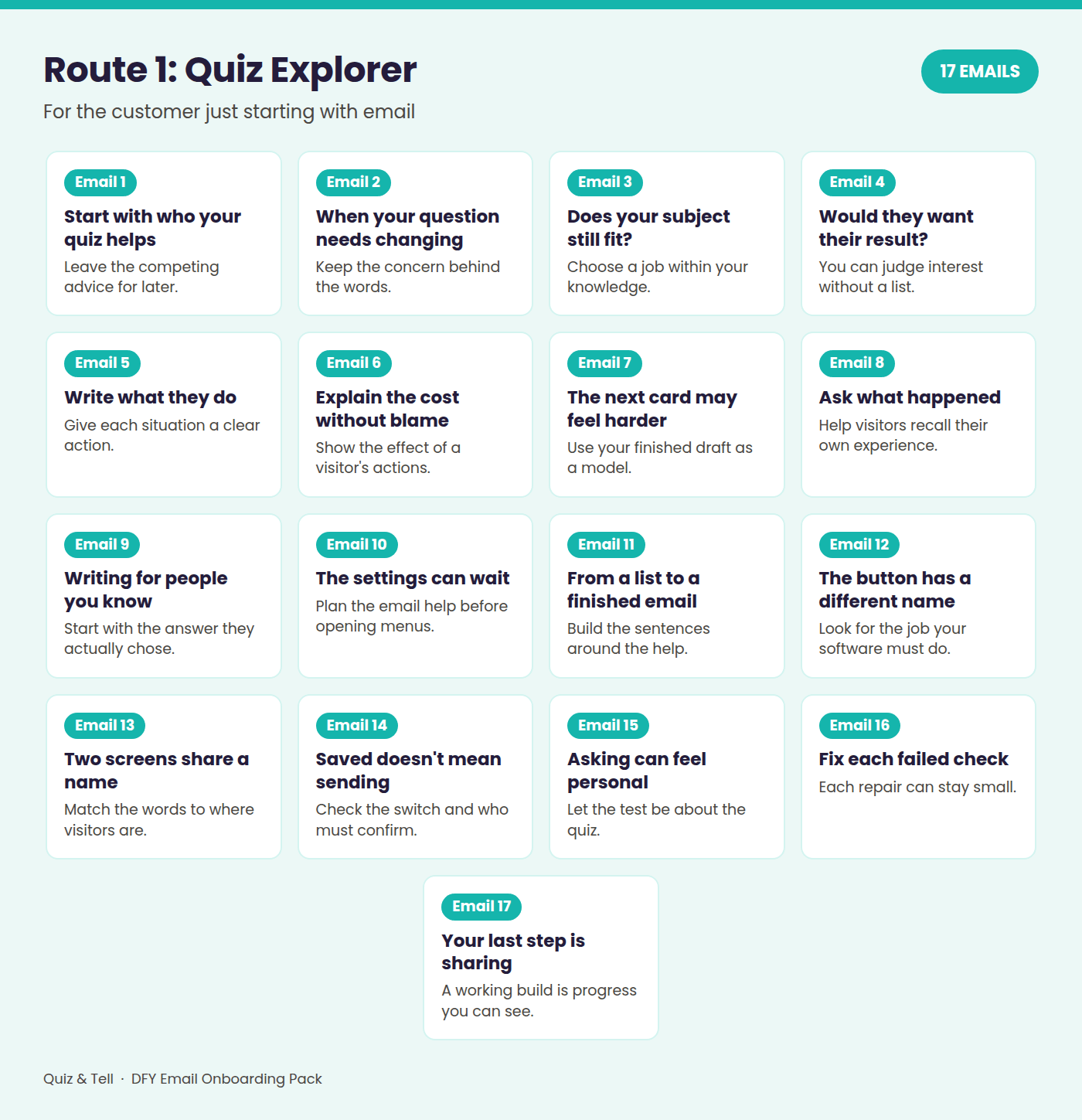

ROUTE 1: Quiz Explorer - 17 emails
Level 1: Quiz Explorer. New ground, and asking, "Where do I start?" An explorer sets out with no map yet.
For the customer who is just starting with email. New words get explained as they come up, with extra help through the software setup, and the route takes them all the way to testing their quiz with real people and sharing it.
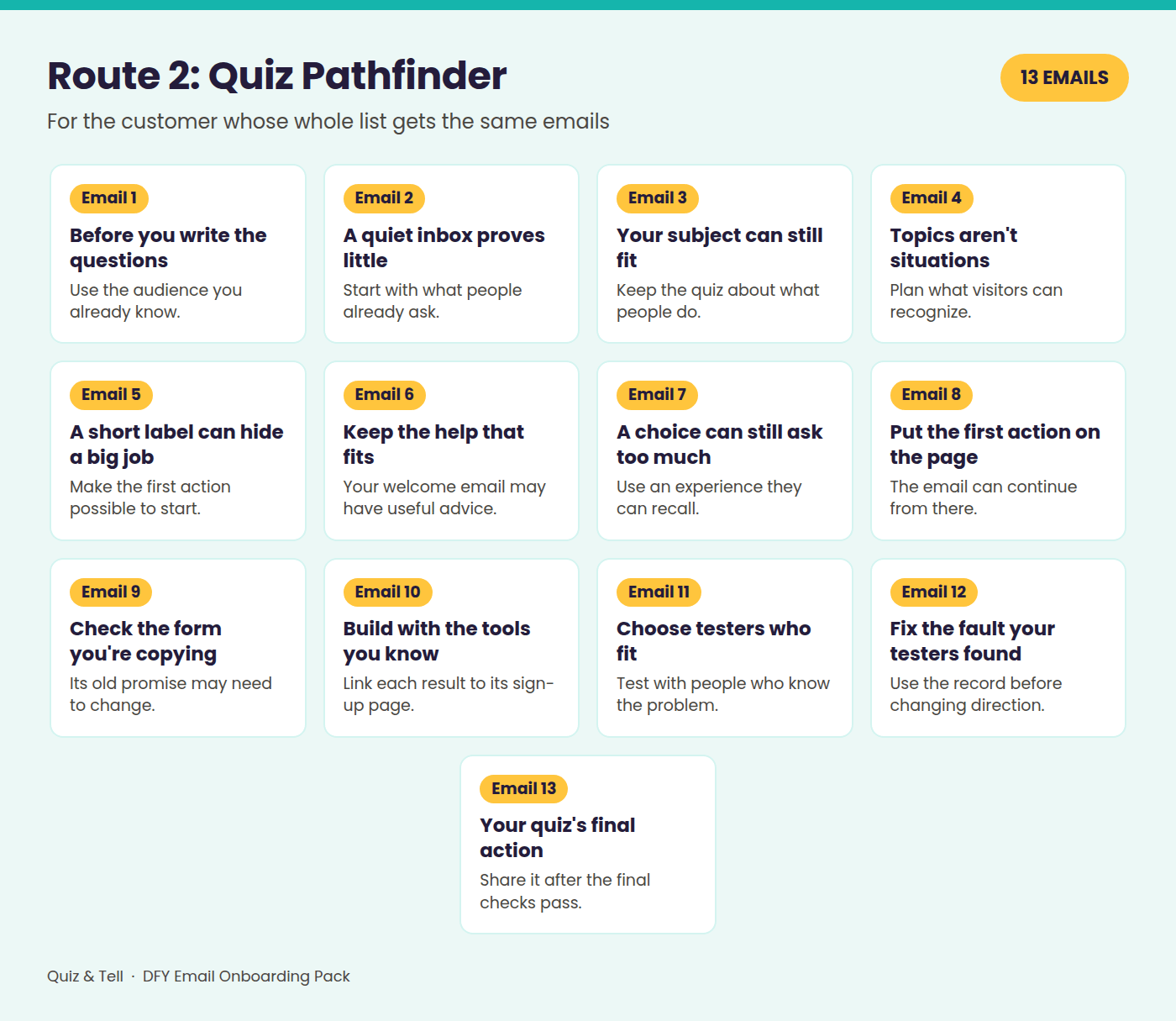

ROUTE 2: Quiz Pathfinder - 13 emails
Level 2: Quiz Pathfinder. They've already been somewhere, with an email list and a free lead magnet, but the path has gone quiet. A pathfinder finds the way through ground they already stand on, without starting again.
For the customer with a list who sends everyone the same emails. The quiz sits alongside what they've already built, and an early check tells them whether their email plan can handle a separate email for each result.
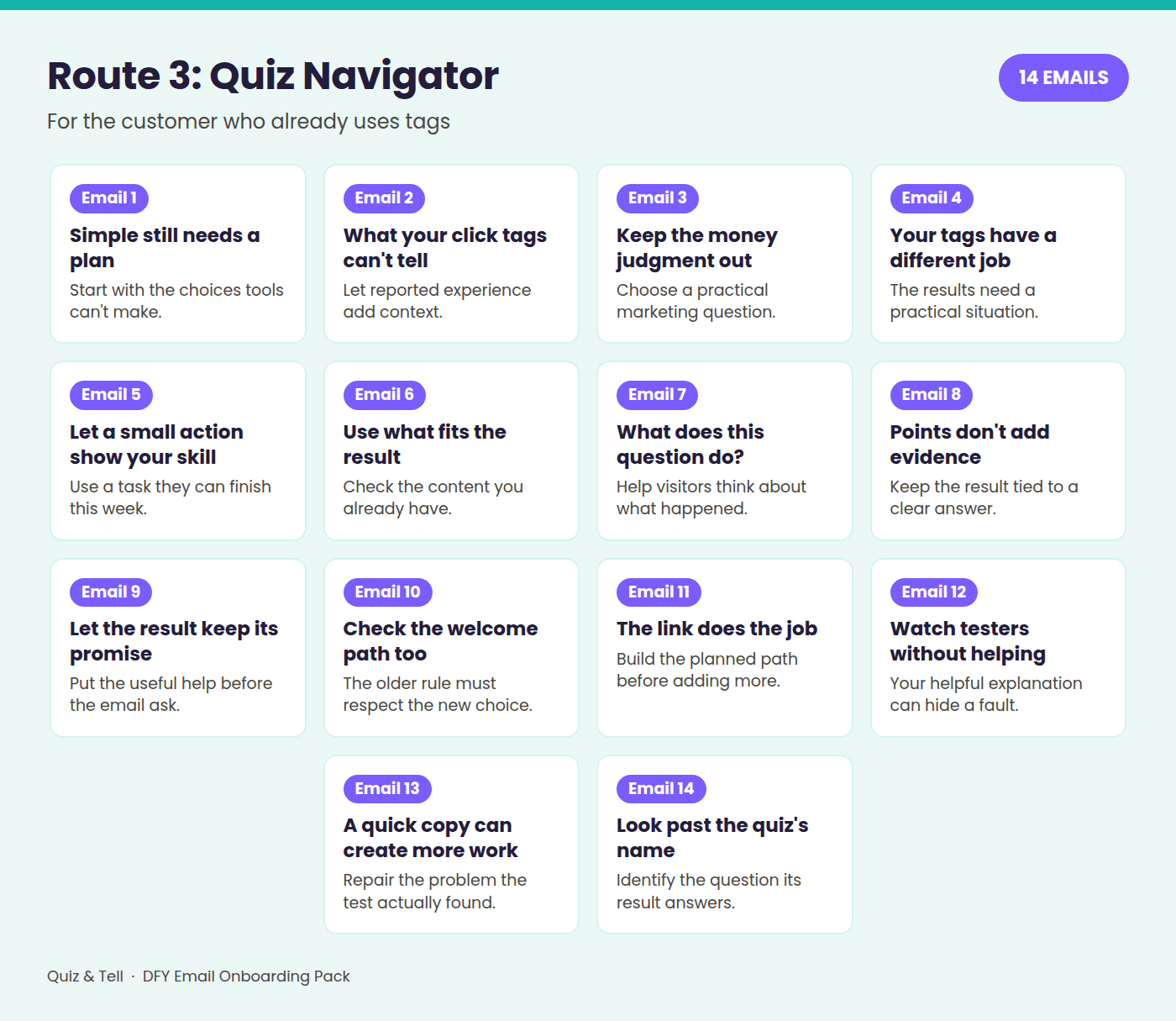

ROUTE 3: Quiz Navigator - 14 emails
Level 3: Quiz Navigator. They know the instruments already (tags, sequences, open and click rates) and want to plot exactly where each new subscriber is heading from day one. A navigator reads the instruments and sets the course.
For the customer who already uses tags. This route explains the thinking behind the simple method, stops them building more than the quiz needs, and ends with a look at the five kinds of quiz.
Your customers never see these route names. They're for you, and for naming your tags.
Here's Email 1 From Each Route, Word For Word
All three send your customer to the same place in the guide, Chapter 1, steps 1 to 6. Only the help around it changes. Click or tap a route to switch.
These aren’t mock-ups. They’re the real emails from the pack, unedited, with the placeholders still in, such as [FIRST NAME] and [YOUR NAME].
Hi [FIRST NAME],
Welcome. Let's make a start with the people you want to help.
If you've read plenty of advice about building an email list, choosing where to begin can feel harder than doing the work.
Imagine you want to make a quiz for people learning to sew. A post says to choose software first. A video says to write questions. You start comparing those approaches, then look for another explanation to settle the disagreement.
Your notebook is still empty. You've spent your attention deciding which advice to trust before you've written who the quiz will help.
That can happen even when you're trying to be careful. Each new explanation gives you another possible starting point. Following the guide's order lets you put that choice aside while you work through this build.
For this step, leave the other advice for later and give your attention to the people you already know how to help.
Your quiz will be your lead magnet, the useful free help you offer to attract people. The guide calls the people who take it visitors.
First, get your Quiz Plan ready. It's a few pages near the back of [YOUR GUIDE TITLE] where everything you write goes. Print it, or copy its lines into a document. Then open Chapter 1: Choose Who Your Quiz Is For, and follow "Do this now," steps 1 to 6.
When you finish, you'll have two short descriptions written down: who your quiz is for and the problem it will help with. These are Quiz Plan line 1, Your Audience Sentence, and line 2, Your Problem Sentence.
Keep those sentences handy. The next exercise builds on them.
[YOUR NAME]
P.S. Next time, you'll write the question your visitor wants answered and check that your quiz can answer it.
Hi [FIRST NAME],
Let's add a quiz alongside your free download, or however people join your list now. You can keep the useful work you've already done.
A sign-up shows interest in the help you promised. It may leave you unsure which situation brought that person to you. That's the gap this quiz can help with.
Because you already write emails, starting with quiz questions may feel natural. You know your subject. You can probably think of several questions straight away.
But questions need somewhere useful to lead.
Imagine you help people plan workshops. Two subscribers request the same preparation guide. The first subscriber has plenty of ideas but no finished outline. The second has an outline but keeps adding more material.
You start your quiz by asking which workshop topic they'd like help with. That might tell you about a preference. It hasn't established the practical problem your quiz will help them recognize.
Choosing the audience and problem first gives your later questions a clear job. Your email experience still matters. You're using it to describe people and problems you already know, before deciding what to ask them.
You aren't replacing the current download or rewriting your whole welcome email here. You're giving this quiz its own useful purpose.
First, get your Quiz Plan ready. It's the record of this build near the back of [YOUR GUIDE TITLE]. Print it or copy its lines into a document.
Then open Chapter 1: Choose Who Your Quiz Is For and follow "Do this now," steps 1 to 6.
When you finish, you'll have who the quiz helps at Quiz Plan line 1, Your Audience Sentence.
The practical problem belongs at line 2, Your Problem Sentence.
Keep those descriptions beside you for the next exercise.
[YOUR NAME]
P.S. Next time, you'll choose the question your quiz will answer and check that your email plan can handle the different emails the quiz will need.
Hi [FIRST NAME],
Welcome. You already know your way around an email platform. If [YOUR GUIDE TITLE] looks basic, you may wonder what it can add.
The early planning still earns its place. Knowing how to build a sequence doesn't tell you what this quiz should help a visitor recognize.
The method is simple on purpose. It keeps the job small enough for the result to connect clearly to the visitor's answers. The useful work sits in those choices, even when the software feels familiar.
Imagine you recognize every email term and open a quiz builder straight away. You can add screens and links without trouble. Then you reach the blank result screen.
What should it say? You could write something that suits almost everyone on your list. But you still need to decide whose situation the quiz describes and which problem it helps them recognize.
The builder can't supply those decisions. A polished screen would only present the uncertainty more neatly.
That is why the guide starts before the questions. Your existing experience gives you examples to draw on. The planning makes you choose which people and problem belong in this particular quiz.
First, get your Quiz Plan ready. It's the record near the back of [YOUR GUIDE TITLE] where the pieces of this build go. Print it or copy its lines into a document.
Then open Chapter 1: Choose Who Your Quiz Is For and follow "Do this now," steps 1 to 6.
You'll have a description of who the quiz helps at line 1, Your Audience Sentence.
The problem it addresses goes at line 2, Your Problem Sentence.
Those sentences give the later writing a clear audience and purpose.
[YOUR NAME]
P.S. Next time, you'll choose a question your quiz can honestly answer for its visitors.
What Happens When Your Customers Get These Emails
Send a receipt and a download link for the guide, then go quiet, and that link is the last useful and helpful message your customer ever gets from you.
This changes that.
Your customer answers one question, and the first help email arrives straight away, written for where they're starting. Every day or two after that, the next step arrives, each with something small to do.
That isn't someone who sent a download link and disappeared. That's a marketer who stayed around long enough to help them use the guide, and your customer will notice the difference.
A customer who knows where to start has a better chance of starting. A customer who gets through the guide gets more from it. And a customer who got real help from your emails has a reason to open the next one.
Picture Your Next Customer
Picture the next person who buys Quiz & Tell from you. They click one sentence, and your first email is waiting for them.
From the first line of their Quiz Plan to the day they share their quiz, your name turns up beside every step of their build.
You didn't write a word of it. Say yes below, and that's how your next customer gets looked after.
Every Email Gives Them Something To Do
Not another summary of the guide. They've got the guide.
Each email points them to the exact steps to follow next: write who the quiz is for, plan the results, write the questions, put a small test version on screen, ask real people to try it. So your customers spend their time building, not wondering where to start, and the guide you sold them actually gets used.
Each route builds on itself, so what they write for one email gets used in the next. By the end they've got their own quiz in front of them, and it was your emails that got them there.
The emails use the guide's own names for everything, from the Quiz Plan to the deciding question. Nothing your emails say clashes with the guide you sold them, so your customers never wonder which to believe.
And the gaps follow the effort, with more time after the bigger steps, such as while testers try the quiz. Your name turns up when they're ready for the next step, without crowding their inbox.
Why Not Just Ask AI To Write Them?
You could. Forty-six emails is an afternoon if all you want is forty-six emails.
Then the hard part starts. Here's what that looked like for these emails.
The three routes weren't guessed. Each route started as a detailed picture of one kind of Quiz & Tell customer, eight sections long, from what they already know and have tried to what could stop them in the guide. Each was built from an interview with me, one question at a time, and checked against research into who buys a guide like this.
Every email was planned against its chapter. Each sticking point had to pass three tests: it's real for that customer, it adds something the guide doesn't already say, and it leaves them with something to do.
Every email was checked line by line against the guide, read through the eyes of a tired beginner, and machine-checked against my writing rules, from plain words to no income claims.
Then the whole pack had a fresh review from start to finish. It came back with 83 points to check, and every real problem among them was fixed.
Then I read all 46 emails myself, one at a time, and made 28 more fixes.
That's the slow, fiddly part. It's already done.
Everything You Get Today
The segmented welcome email and a no-click reminder. Every customer is asked where they're starting, and anyone who misses the question gets one more chance.
Route 1: Quiz Explorer, 17 emails. Beginners get new words explained as they come up, and extra help through the software.
Route 2: Quiz Pathfinder, 13 emails. Customers with a list add a quiz alongside what they've already built, without starting again.
Route 3: Quiz Navigator, 14 emails. Experienced marketers get the reasons behind the simple method, and don't build more than the quiz needs.
Eight setup steps for any email platform. Including a simple choice page if your platform can't tag from a link, and a list of test sends to run before any customer sees an email.
A first-click rule, a wrong-route fix and troubleshooting. Customers can't end up in two routes at once, and if something goes wrong, the fix is already written down.
Room to make them your own. Change the voice freely, and the pack shows exactly what to edit without breaking the chapter references or the chain between emails.
The guide's title as a placeholder wherever an email names it. Rename or rebrand Quiz & Tell, and the emails still fit after a quick swap.
No hype, no income claims and no sales pitches. Nothing you'd be uneasy putting your name to, and nothing that makes your customers wary of your next email.
A note on permission and email law in the US, UK and EU. It isn't legal advice, but it tells you what to check before you send.
A 66-page PDF, plus seven .txt files. Copy each email straight into your email platform.
Worth Knowing Before You Buy
Your email platform needs to save a customer's choice when they click a link, and use that choice to start the right series of emails. Platforms give it different names, such as a tag, a group or a segment, and some only offer it on certain plans. If yours can't record the choice safely from a link, the pack shows you how to use a simple page where the customer picks and confirms their answer instead.
If you have no email platform and no plans to get one, this isn't for you.
And you don't need the sales pages from the last page. This pack stands on its own, however you sell Quiz & Tell.
Here Is What It Costs Right Now
It opens at $15. That's about 33 cents an email.
One payment for 46 finished emails, three routes with their full schedules, and a 66-page setup guide.
Hire a freelance copywriter instead, and 2026 rate guides suggest a five-email welcome sequence costs a few hundred dollars from a newcomer and well over a thousand from someone experienced. That's five emails, for one kind of customer.
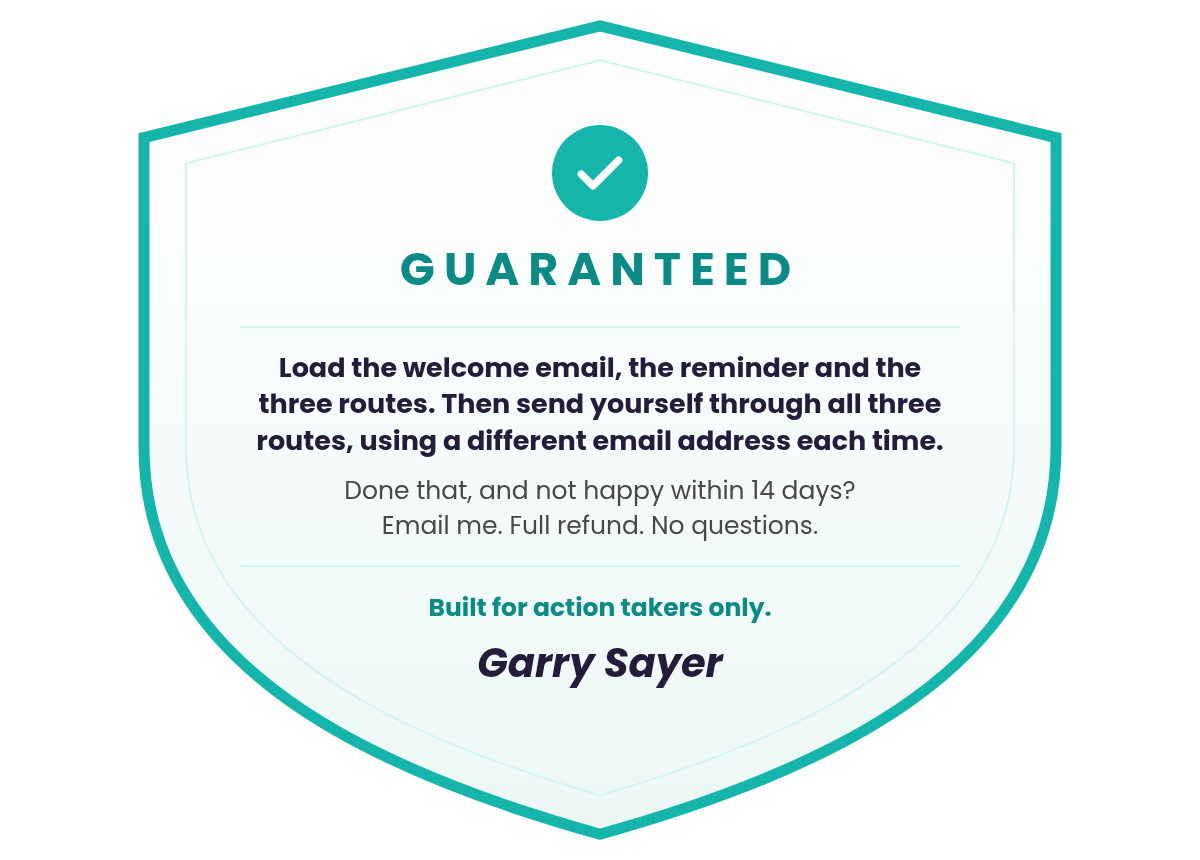
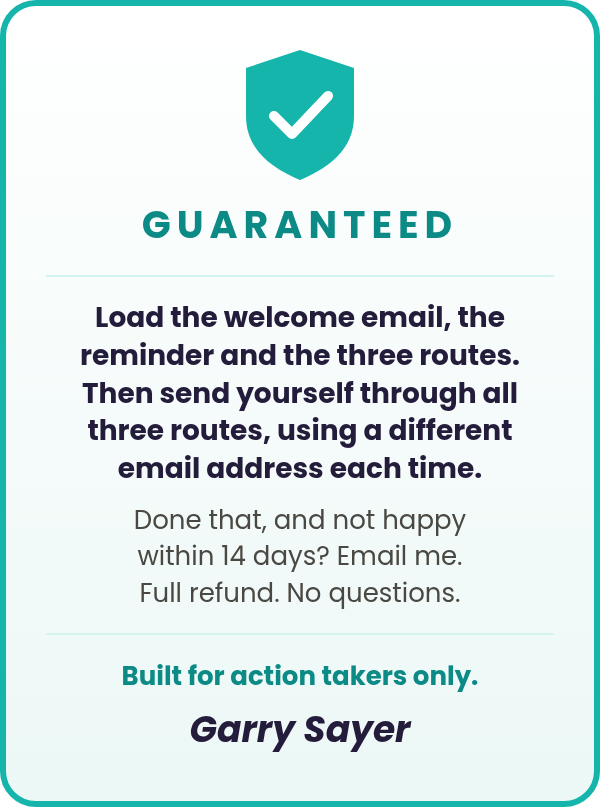
And if you load it all, send yourself through all three routes using a different email address each time, and it still isn't right for you, the 14-day guarantee covers you.
The price rises $0.05 after every sale. Add it now, before someone else moves the price higher.
P.S. Quiz & Tell teaches your customers to find out where someone is before telling them what to do next. This pack does that for your own customers the moment they buy: one question, three routes, 46 emails. It opens at $15, about 33 cents an email, and every sale nudges it up.
Frequently Asked Questions
No. It's the best time to set it up. You don't need a single customer to load and test it, because you send yourself through the routes. Do it once before you launch, and your very first customer gets the welcome email and the right route, with nothing more for you to write.
No. You need an email platform that can save a choice from a link click and start a series of emails from it, or a simple page where customers choose. If you can create a tag, start a series from it and set a delay, you can run this. There are three tags, a reminder after 48 hours, and one rule that stops anyone starting a second route. The setup steps walk you through all of it, and there's a full list of test sends to run before any customer sees an email.
Yes. Change how they sound as much as you like: the greeting, the phrasing, the subject lines. Keep what they point to: the chapter references, the "Do this now" steps, the Quiz Plan lines and the email order. Later emails use what your customer wrote for earlier ones, so cutting a step can leave them looking for a draft they were never asked to write. There's a section showing exactly where that line is.
The welcome email tells them to pick the answer closest to where they are, and anyone with only a handful of people on their list picks the first answer. All three routes help them build the same small quiz from the same guide. Only the explanations and the pace change.
They get the reminder once, 48 hours later. If they still don't choose, no route starts and nothing more is sent. The guide is still theirs, and if they click an answer later, their route starts straight away.
A second click won't move them, because the first answer stands. That stops two routes sending mixed instructions to the same person. If someone genuinely chose wrong, you confirm the right route with them, stop the current series, swap the tag and start the new route. The troubleshooting section walks you through it.
Yes, if you check them first. Wherever an email names the guide, its title is a placeholder, so a new title is a quick swap. If you change chapters, exercises or their order, the matching emails need changing too, and the pack lists everything to check.
Instant download straight after purchase: the pack as a 66-page PDF, plus the emails in seven .txt files, ready to copy and paste. One .txt holds the welcome email and the reminder. Each route comes in two .txt files: Quiz Explorer emails 1 to 9 and 10 to 17, Quiz Pathfinder emails 1 to 7 and 8 to 13, and Quiz Navigator emails 1 to 7 and 8 to 14.
No. This pack comes with a limited commercial-use license. You may use the emails with your own customers who get Quiz & Tell from you, but you may not resell the pack, pass it on, include it in any PLR package or distribute it to anyone else. Your Standard PLR License covers the guide, not this pack. If you want PLR rights to this pack, email me personally at garry@mintplr.com.
Yes. Fourteen days. Load the welcome email, the reminder and the three routes. Then send yourself through all three routes, using a different email address each time, so you can see the right route start. If you've done that and you're not happy, email garry@mintplr.com. Full refund, no questions.
What Saying "No Thanks" Leaves Your Customers With
Say no, and your customers still get a really good product. What they don’t get is you.
Right after someone buys is when they pay most attention to your emails. One industry benchmark puts welcome emails at about twice the opens of a normal email or newsletter. Say no, and that moment passes with a download link.
That’s not a disaster. It’s just a missed chance to be the marketer they remember.
Or you write the follow-up yourself: 44 route emails, every chapter and step checked against the guide.
That’s a lot of evenings.
Say yes, and your next customer hears from you the moment they answer, and every day or two after that, until their quiz is built.
Each sale before yours adds $0.05, and when the launch ends, the price more than doubles.
Create Your Free Account